How Aadhaar Masking Supports Zero Trust Security Architecture

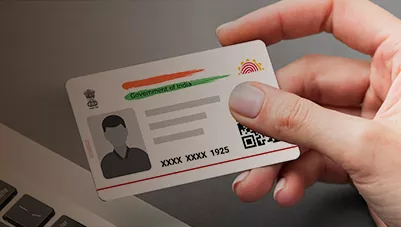
Modern organizations process large volumes of Aadhaar documents across multiple systems and users. Combining Zero Trust security with AI Aadhaar masking helps ensure sensitive Aadhaar information is protected by verifying every access request and minimizing unnecessary data exposure.
What Is Zero Trust Security?
Zero Trust is a security model that assumes no user, device, or application should be trusted by default. Every access request is continuously verified based on identity, device, permissions, and context, making Aadhaar masking an important layer of data protection.
To explore Aadhaar masking implementation, security controls, AI capabilities and compliance considerations in greater detail, read our complete enterprise guide to Aadhaar masking.
Why Aadhaar Documents Require Zero Trust Protection
Aadhaar documents pass through several stages, including onboarding, verification, storage, and sharing, creating multiple exposure points. Zero Trust limits access to only the required information, while Aadhaar masking further reduces privacy risks by protecting sensitive data within documents.
Here's a cleaner structure by merging overlapping ideas into 7 points while preserving the key information.
How Aadhaar Masking Supports Zero Trust Architecture
1. Supports the Principle of Least Privilege
Zero Trust is built on the principle that users should only access the information necessary for their responsibilities. Aadhaar masking helps organizations provide different versions of a document based on user roles, ensuring that only authorized personnel can view sensitive Aadhaar information while others access a masked version.
2. Reduces the Impact of Credential Compromise
Zero Trust assumes that user credentials can be compromised at any time. Even if an attacker gains unauthorized access to an account, Aadhaar masking limits the exposure of sensitive information by ensuring that only masked documents are available to users who do not require the complete Aadhaar number. This adds an additional layer of protection alongside authentication and access controls.
3. Protects Sensitive Data Throughout the Document Lifecycle
Aadhaar documents are stored, shared, archived, and transferred across multiple enterprise systems. Aadhaar masking protects sensitive information directly within the document instead of relying only on network or storage security, reducing exposure during document downloads, sharing, archival, and third-party processing.
4. Enables Automated Data Protection with AI
AI-powered Aadhaar masking automatically identifies Aadhaar numbers, scanned documents, different layouts, and sensitive text regions before applying masking rules. Combined with OCR and intelligent document processing, it enables organizations to automate document privacy while improving accuracy and reducing manual intervention.
5. Secures Data Sharing Across Users and Environments
Organizations frequently share Aadhaar documents with internal teams, vendors, customers, and third-party service providers. Aadhaar masking ensures that recipients receive only the information required for their role, supporting secure collaboration across production, testing, analytics, and external environments while following data minimization principles.
6. Strengthens Continuous Monitoring and Auditability
Zero Trust requires continuous verification of how sensitive information is accessed and processed. Aadhaar masking solutions support this approach by maintaining audit logs, tracking document processing activities, recording masking results, monitoring user access, and identifying failed processing attempts, improving governance and accountability.
7. Supports Long-Term Privacy and Zero Trust Implementation
Zero Trust extends beyond active business processes to archived and historical documents. Aadhaar masking reduces unnecessary exposure during long-term storage while supporting secure document retention. Organizations should integrate masking with KYC platforms, document management systems, and access policies, and continuously review masking accuracy, retention practices, and third-party access to maintain an effective Zero Trust framework.
How to Implement Aadhaar Masking in a Zero Trust Environment
Step 1: Identify Aadhaar Data Locations
Identify where Aadhaar documents are collected, processed, stored, and shared across the organization. Mapping data locations helps determine where masking should be applied.
Step 2: Classify the Documents
Classify documents based on whether they contain sensitive Aadhaar information. Proper classification ensures appropriate security controls are applied to each document.
Step 3: Define Access Requirements
Clearly define which users need access to original documents, masked versions, or specific data fields. Role-based access helps enforce the principle of least privilege.
Step 4: Automate Detection and Masking
Use AI, OCR, and document intelligence to automatically detect Aadhaar information in PDFs, scanned documents, and images. Automation improves consistency while reducing manual effort.
Step 5: Integrate With Existing Systems
Integrate Aadhaar masking with KYC platforms, onboarding applications, document management systems, and enterprise archives. Seamless integration strengthens privacy without disrupting existing workflows.
Step 6: Monitor Access and Processing
Continuously monitor document access, masking results, and processing activities. Monitoring helps identify exceptions, improve security, and support compliance.
Step 7: Continuously Review the Workflow
Zero Trust requires ongoing improvement rather than a one-time implementation. Regularly review access policies, masking accuracy, retention practices, and third-party access to maintain effective protection.
To understand how Aadhaar masking APIs can connect with KYC platforms and existing document management systems, explore how Aadhaar masking APIs integrate with enterprise workflows.
Conclusion
Zero Trust security and Aadhaar masking work together to minimize unnecessary exposure of sensitive identity information. By combining continuous verification, least-privilege access, and automated document protection, organizations can build a more secure, scalable, and privacy-focused Aadhaar protection framework.
Strengthen Your Zero Trust Security with AI Aadhaar Masking
Integrate Pix Dynamics Aadhaar Masking API into your Zero Trust security strategy to automatically protect Aadhaar information across KYC, onboarding, document management, and enterprise workflows. Enable least-privilege access, secure document sharing, and AI-powered privacy protection without disrupting your existing systems.
Request a Free Demo and discover how Pix Dynamics helps build secure, privacy-first document processing for modern enterprises.